
How to Improve PC Airflow and Keep Components Cool
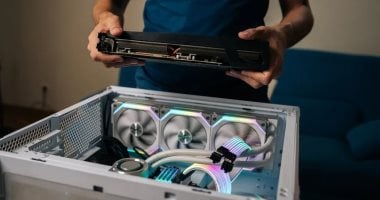
Heat buildup can affect a computer’s performance and stability, particularly when running demanding games or software that requires substantial processing power. Keeping air moving through the case helps cooling systems carry heat away from key components.
Start by checking where the computer sits. A case pushed against a wall or enclosed in a tight cabinet can struggle to release warm air. Keep ventilation openings clear and leave room around them so air can circulate freely.
Dust can also restrict airflow as it collects on filters, fans and cooling fins. Shut down and unplug the computer before cleaning, and follow the manufacturer’s guidance to avoid damaging delicate parts.
Inside a desktop case, cables should be kept away from fans and major airflow paths. A common setup draws cooler air in through the front and expels warmer air through the rear or top, though the best arrangement depends on the case’s design.
Monitoring component temperatures during demanding tasks can help reveal whether cooling needs attention. If overheating persists after cleaning and clearing vents, check that fans are working properly and consider having the cooling system inspected.
This is an automated summary from the available headline and excerpt, not the full story or a claim of human review.
Latest Technology — refreshed every 30 minutes
News refreshes automatically every 30 minutes. Every headline opens inside Trend Masr.